The Workday Ledger: Judge Your Keyboard by Tuesday’s Output, Not a WPM Sprint

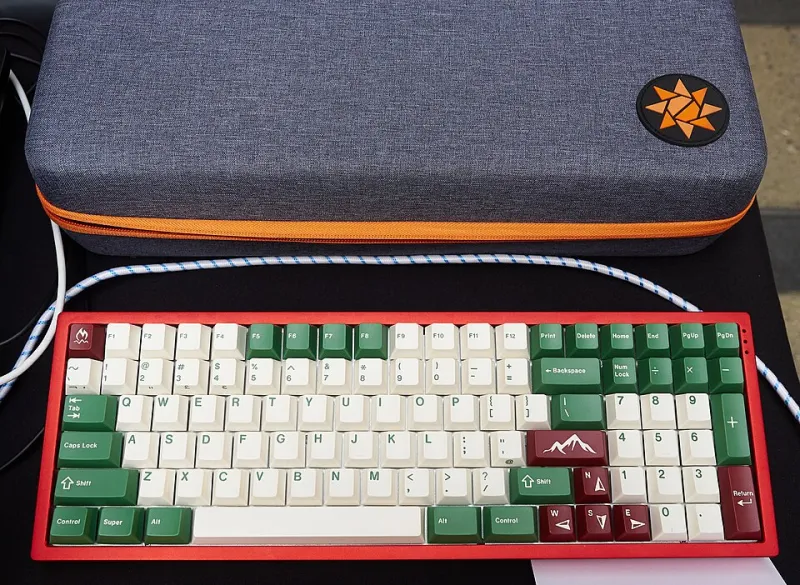
Photo: Dietmar Rabich, CC BY-SA 4.0, via Wikimedia Commons
Monkeytype flashes a number, you screenshot it, and for about 45 minutes you feel like the fastest typist in the group chat. Then you open a client email, a quarterly report, or a file full of camelCase and brackets, and the keyboard that just set a personal best starts to feel like a stranger. That gap is not a character flaw. It is a measurement problem.
Typing tests are sprint events. Your actual work is a day of obstacle courses. If you want to know whether a keyboard belongs on your desk in 2026, stop asking it to win a 15-second race and start asking it to survive a Tuesday.
Why the Standard Test Lies to You
Most online typing tests use a pool of common words, ignore punctuation, and let you reset the moment you fumble. That format rewards burst speed and familiar finger paths. Real work rewards something else: sustained accuracy on unfamiliar terms, clean recovery from mistakes, and the ability to keep going when your hands are tired and your brain is already three sentences ahead.
A board can be brilliant in a test and miserable in a document. Heavy switches that feel satisfying for 30 seconds can wear you down by 4 p.m. A flat, fast switch might post a great score but trigger accidental keypresses during careful edits. Neither result shows up in a WPM number.
The One-Week Workday Ledger
You do not need software, sensors, or a lab coat. You need a notebook or a spreadsheet and seven days of honest logging. Pick one keyboard — your daily driver, a review unit, or a board you are thinking about keeping — and use it for all typing tasks for a week.
Log only four things per session:
- Task type — email, long-form writing, code, chat, spreadsheets.
- Minutes spent — start and stop time, rounded to the nearest five.
- Words produced — the final count of the document or message, not the raw keystrokes.
- Correction time — how many minutes you spent backspacing, retyping, or fixing errors.
Add a quick fatigue rating from 1 to 5 at the end of each session. That is it. The whole entry takes 30 seconds.
The Four Numbers That Actually Matter
Once the week is over, calculate these:
Net output. Finished words divided by total minutes, including correction time. This is the number your employer or your deadline actually cares about. A 100 WPM burst that produces 45 clean words per minute is less useful than an 80 WPM board that produces 60.
Correction ratio. Correction minutes divided by total minutes. If you spend more than 15 percent of a session fixing typos, the keyboard is costing you time. High ratios often point to switch weight, keycap spacing, or actuation distance — not to your skill.
Fatigue slope. Compare your 1-to-5 ratings across the week. If Monday starts at 2 and Friday ends at 4 on the same task type, the board is asking too much of your hands. That is a setup problem, not a willpower problem.
Friction moments. Jot down the specific things that made you hesitate: missed apostrophes, accidental spacebars, a modifier that felt too far away. These notes are more actionable than any aggregate score.
A Sample Entry
Tuesday, 9:40 a.m. — Long email to a vendor. 22 minutes. 310 words. 7 corrections, about 4 minutes of fixing. Fatigue 2/5. Friction: kept hitting the semicolon when reaching for the apostrophe.
That single line tells you more than a screenshot ever will. The net output is roughly 12 words per minute — slow, but it was a careful message. The correction ratio is 18 percent, which is high. The friction note points to keycap layout, not switch feel. By Friday, you would know whether that pattern repeats.
Read the Ledger Like a Grown-Up
Do not compare your net output on email to your net output on code. Compare like with like. A keyboard that is excellent for prose and clumsy for brackets is still a good keyboard if you mostly write prose. The ledger is not a grade; it is a map of where the board helps and where it gets in the way.
Also resist the urge to change three variables at once. If you swap switches, keycaps, and wrist rest on day four, the rest of the week is noise. Change one thing, log two more days, and see whether the correction ratio or fatigue slope moves.
What to Change When the Numbers Say So
High correction ratio on everyday typing? Try a heavier or lighter spring, or a keycap profile with more scoop. High fatigue on long sessions? Look at board angle, wrist rest height, and whether you are hovering instead of resting. Low output on code? The problem may be your keymap, not your hardware — a layer for symbols can beat a new switch set every time.
The point of the audit is not to crown a winner. It is to stop guessing. A WPM score is a party trick you can enjoy for a minute. A week of real entries is a decision you can live with for years.