Magnetic Switches, Real Work: A Typist's Honest Guide to Hall Effect Boards in 2026
Hall-effect keyboards have a marketing problem: they are usually sold like gaming peripherals, even when the buyer just wants to type. The pitch is full of numbers, lights, and promises about speed. Some of that is real. Some of it is noise. The useful question is not whether magnetic switches are advanced. It is whether their features solve a typing problem you actually have.
The short version
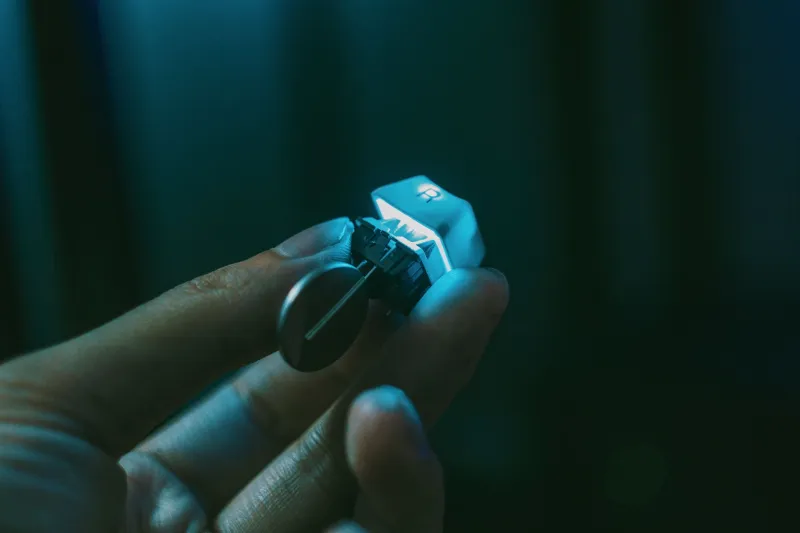
Hall-effect switches use a magnetic field and a sensor to detect key position. There are no metal contact leaves closing in the traditional way, so the board can measure how far the key has traveled. That makes adjustable actuation possible, and it makes features like rapid trigger possible. It does not automatically make the board feel better, sound better, or type better. Those are separate engineering problems.
For a typist, the interesting part is control: you can tune when a key registers. The boring part is that most people will set it once, forget it, and then care much more about keycaps, stabilizers, and whether the firmware is stable.
Adjustable actuation: the one feature worth caring about
Adjustable actuation is the most practical Hall-effect feature for typing. Instead of a fixed actuation point, you can usually set each key to register earlier or later in its travel. If you have heavy hands and keep brushing the spacebar or neighboring keys, a slightly later actuation point can reduce accidental presses. If you have limited hand strength or prefer a very light touch, an earlier point can make typing feel easier.
That said, do not expect a transformation. A well-built conventional mechanical switch already gives you a useful actuation point. Hall-effect tuning is a refinement, not a rescue. It helps most when you have a specific problem: accidental modifiers, a spacebar that fires too soon, or a preference for a longer or shorter effective press. It also helps if you share a board with someone who types differently, because profiles can be switched instead of rebuilding the keyboard.
Rapid trigger: gaming sugar, not typing protein
Rapid trigger resets and re-engages a key based on movement rather than a fixed reset point. In games, that can mean faster repeated inputs. In typing, it is mostly irrelevant, and a bad configuration can make ordinary typing feel twitchy. If you type in a fast, percussive style, rapid trigger might feel responsive for about ten minutes. Then you will probably notice the extra errors.
That does not make it a bad feature. It makes it a gaming feature. If you play games and type on the same board, rapid trigger can be a legitimate reason to consider Hall effect. If you mostly write, answer email, and edit documents, do not pay a premium for it. Turn it off, set a sane actuation point, and judge the board on the basics.
Analog input: a demo in search of a daily job
Analog input is the feature that sounds more useful than it usually is. The keyboard can detect partial presses, which is neat for racing games and some creative software. In everyday typing, most operating systems and applications still expect a key to be either pressed or not pressed. A Hall-effect board can translate analog movement into digital keystrokes, but that is not the same as giving you a meaningfully analog typing experience.
For writers, programmers, and office workers, analog input is mostly a spec-sheet bragging right. It may become more useful as software catches up, but right now it should not be the reason you buy a keyboard. Buy for actuation control, build quality, and firmware you can live with.
Firmware is the real spec sheet
A Hall-effect board lives or dies by its software. Before buying, find out how actuation points are configured. Is it per-key or global? Are there onboard profiles? Can you remap layers without installing a sketchy utility? Does the config tool work on macOS and Windows? Does the firmware get updates? If the board supports open-source firmware, that is a strong point in its favor, though Hall-effect support is not universal.
US buyers should also check the return window and warranty before ordering. A magnetic keyboard with promising hardware and buggy software is not a bargain. It is a project. That can be fine if you wanted a project, but it is a bad surprise if you wanted a daily driver.
The tradeoffs that do not make the box
Hall-effect boards often cost more than comparable conventional mechanical keyboards, and the switch ecosystem is smaller. You cannot always drop in your favorite linear switch. Keycap compatibility is usually standard, but check before assuming. Some boards are wired only, and wireless Hall-effect options are still less common. Sound is another wild card: magnets and sensors do not guarantee a deep, pleasant typing sound. Many boards still need case foam, better stabilizers, or a different plate to sound their best.
There is also the calibration question. Hall-effect sensors are usually reliable, but they depend on firmware and manufacturing tolerance. A board that needs recalibration every few weeks is not ready for someone who just wants to work. Read owner reports, not just launch reviews.
Who should consider Hall effect in 2026
Consider a Hall-effect board if you want adjustable actuation for a real reason, if you game and type on the same desk, if you enjoy firmware tinkering, or if you need multiple profiles for different users or tasks. It can also be a strong choice for someone with accessibility needs that benefit from a very light or very deliberate press.
Stick with conventional mechanical switches if your priorities are the widest possible switch selection, the best sound for the money, easy hot-swap experimentation, wireless convenience, or a simple board that works out of the box. A good tactile or linear switch in a well-tuned board is still an excellent typing tool. Hall effect is not the next mandatory step. It is a different tool.
A US buyer's checklist
Before you order, confirm the actuation range and whether it is per-key. Check that rapid trigger can be disabled. Look for a config tool that runs natively on your operating system. Confirm the layout, keycap compatibility, and whether the board is hot-swap. Read the return policy. If possible, buy from a retailer with a generous return window so you can test the sound and feel at your own desk, not just in a review video.
The verdict
Hall-effect switches are genuinely useful, but the hype often aims at gamers and spec-sheet readers. For pure typists, the winning feature is adjustable actuation, followed by stable firmware. Rapid trigger and analog input are situational. If you have a specific problem to solve, a magnetic board can earn its place as a daily driver or as the project board in a small rotation. If you just want a great typing experience, a conventional mechanical keyboard with switches you love remains the safer, quieter, and often cheaper answer.