The Plug Is the Pressure Point: Picking a Keyboard Cable That Won’t Wreck Your USB-C Port
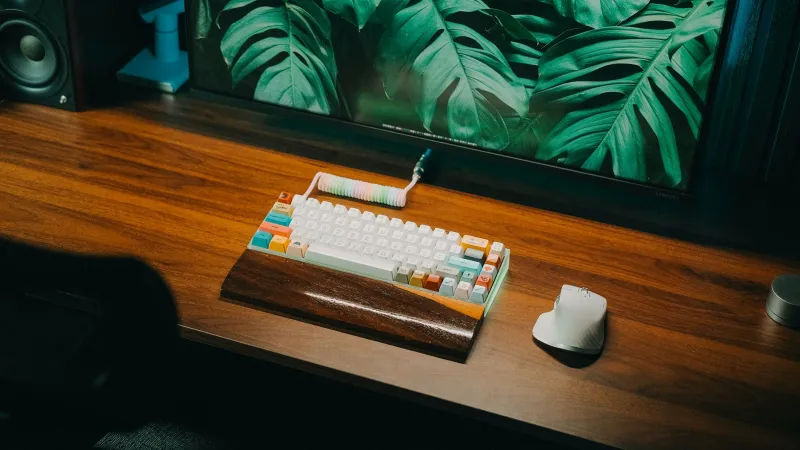
Coiled cables are the jewelry of this hobby. They photograph well, they match keycaps, and they make a desk look intentional. But a keyboard cable is not a prop. It is the one part of your setup that gets yanked, bent, tripped over, and stuffed into a bag. And on a lot of modern boards, the USB-C port is soldered to a hot-swap PCB with less mechanical support than you would guess.
At Keyboard Concierge, we like a good-looking cable as much as anyone. We just want yours to survive. Here is the 2026 version of what actually matters when you pick a cable, route it, and plug it in.
The port is a connection, not a kickstand
A USB-C port on a keyboard is tiny. The plug is small, the solder joints are small, and the whole assembly may be held in place by a couple of through-hole legs and a prayer. When a cable hangs off the back of a board, every bump and drag becomes a side load on that port. A stiff cable makes it worse. A heavy coiled cable makes it worse again.
This is not a reason to baby your keyboard forever. It is a reason to stop treating the cable as a fixed object and start treating it as a moving part. The goal is simple: keep the load off the connector. If the cable can move without tugging the plug sideways, you have already won most of the battle.
What a good connector actually feels like
The connector is where the drama happens. A decent USB-C plug should slide in with a firm, even push and sit flush without wobbling. The overmold, the rubbery part where the cable meets the metal shell, should feel bonded and slightly flexible. If it is hard as a rock or already splitting, that is a stress riser waiting to fail.
Look for a plug shell that is not dramatically oversized. Some custom cables use big, sculpted metal housings that look great in photos and act like a little crowbar in real life. A compact shell with a proper strain relief boot is boring, and boring is good here. You want the cable to bend before the port does.
Also pay attention to insertion depth. A plug that bottoms out early or sits proud of the keyboard’s port can rock side to side. That rocking motion is what kills solder joints over time. If a cable feels loose on day one, do not promote it to daily driver duty.
Coils, aviators, and other beautiful liabilities
A coiled cable is not inherently bad. A well-made coil with a light spring rate can look sharp and still behave. The problem is weight and tension. A heavy coil hanging off a small board can drag it across the desk or pull the plug at an angle. If you love the look, route the coil so it rests on the desk and leave a relaxed service loop at the keyboard end. Do not let the coil become the thing that holds your board in place.
Aviator connectors are another cosmetic favorite. They add a satisfying chunk when you disconnect the cable, and they can make swapping boards easier. But every extra connection point is another place for wear, and a metal aviator hanging near the port adds mass. Buy one from a maker who uses proper strain relief on both ends, and do not expect it to improve durability by itself. It is a convenience feature, not armor.
Magnetic USB-C adapters deserve a special mention. They are handy for tight desks and clumsy feet, but cheap ones can add leverage, reduce data reliability, and fail in ways that are hard to diagnose. If you use one, choose a data-capable model, inspect it regularly, and keep a plain cable around for troubleshooting.
Host compatibility is part of cable quality
A keyboard cable does not need to deliver 100 watts, but it does need to carry data reliably. That means avoiding charge-only USB-A to USB-C cables, which are still lurking in drawers and conference rooms. They may power a board but fail to enumerate it, and that can send you down a firmware rabbit hole for no reason.
USB-C to USB-C is the cleaner path on modern machines, but it is not magic. Some hubs, docking stations, KVMs, and monitor USB ports are pickier than a direct port. If your board disconnects when the desk moves or wakes from sleep strangely, test a different host port before blaming the keyboard. The cable is part of the signal chain, and so is everything between the board and the computer.
Routing that removes the load
This is the least glamorous part of cable culture and the most useful. Start with a service loop: a little slack right after the connector so the cable can move without pulling on the plug. Then anchor the cable to the desk, not to the keyboard. A small clip or cable tie under the desk can take the weight. Leave the keyboard end free.
Avoid routing a cable over a sharp desk edge or under a monitor stand where it gets pinched. Do not coil the cable tightly around the board when you pack it. And if you use a right-angle adapter, check that it does not torque the port. The best routing is the kind you never notice because nothing tugs.
A five-minute strain audit
Once a month, unplug the cable and look at it. Check the overmold for cracks, the plug for wobble, and the port for looseness. Plug it back in and wiggle the cable gently near the connector. If the keyboard disconnects, you have found a problem before it becomes a repair.
Try a different cable and a different host port. If the issue follows the cable, replace it. If it follows the board, stop using that port until you can inspect it. And if you are buying a new cable in 2026, prioritize fit and strain relief over the group photo. The prettiest cable in the world is not a bargain if it costs you a repair.
Your keyboard’s USB-C port is small, soldered, and not designed to be a tie-down point. Treat the cable like a moving part, buy one that bends before the board does, and route it so the plug is never the anchor. That is how you keep the hobby looking good without turning your desk into a slow-motion stress test.