Give Your Forearms a Landing Pad, Not a Crutch: A Wrist Rest Height Check
Photo: Mardus, CC BY-SA 3.0, via Wikimedia Commons
Wrist rests get treated like the decorative throw pillow of the keyboard world: nice to have, easy to toss on the desk, rarely chosen with much thought. That is a shame, because the wrong rest can quietly make typing feel worse. The right one can take a little tension out of your forearms and make a long workday feel less like a slow clench.
The key word is support, not suspension. A wrist rest is not a throne for your hands, and it is not a padded parking spot for your palms while you type. Used well, it gives your forearms a place to land during pauses. Used poorly, it becomes a pressure point. The difference usually comes down to height, position, and a few minutes of honest self-observation.
Start With the Keyboard, Not the Rest
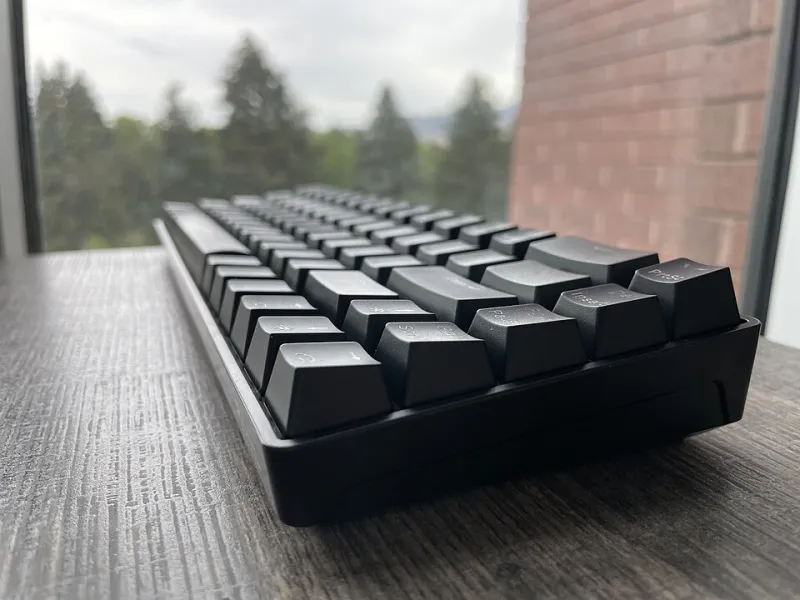
Before you shop, look at the front edge of your keyboard. A low-profile board might sit around half an inch off the desk. A chunky mechanical keyboard with tall keycaps can be closer to an inch or more. Your rest should roughly meet that front edge so your forearms can travel from desk to keyboard without a noticeable step up or drop-off.
If the rest is too tall, your wrists bend upward while you type. If it is too low, you end up reaching down or floating your hands. Both patterns get tiring. The goal is a gentle, neutral line from elbow to hand, with your wrists straight and your shoulders relaxed.
This is also where desk height matters. A keyboard tray, standing desk, or unusually tall desk can change the math. Do not assume the rest that worked on your old setup will work on the new one. Treat it like part of the keyboard interface, not a separate accessory.
The Ten-Minute Landing Test
You do not need a lab coat to figure out whether a wrist rest belongs in your setup. You need a stack of books, a folded towel, and a little patience.
- Clear your desk and sit the way you normally sit when you are actually working, not the way you sit for a posture photo.
- Type for a few minutes with no wrist rest at all. Notice whether your forearms hover, whether your wrists angle up or down, and whether your shoulders creep toward your ears.
- Build a temporary rest with folded towels or a thin book until the surface roughly matches the front edge of your keyboard. Type for another five to ten minutes.
- Check for pressure. Your palms and wrists should feel lightly supported during pauses, not compressed. If you feel yourself pressing down hard, the rest is too tall or too far forward.
- Check your elbows. They should stay near your sides, around a comfortable right angle. If you are reaching forward to find the rest, move it closer or reconsider the height.
A good test is boring in the best way. Nothing should feel dramatic. You should simply notice that your forearms have somewhere to settle and that you are not bracing yourself against the desk.
Where the Rest Should Sit
Placement is half the battle. The rest belongs in front of the keyboard, aligned with the space bar and the main typing area. It should support the heel of your hand and the lower forearm during brief pauses, not invite you to plant your wrists and type from a locked position.
If you use a wrist rest while actively typing, pay attention to drag. Your hands should still move freely. A rest that grabs your skin or forces you to lift your hands awkwardly is doing more harm than good. The same goes for a rest that is so wide it pushes your mouse hand out of position. On a compact desk, a shorter rest or a split setup may be smarter than a full-width slab.
Foam, Wood, Resin, and Split Boards
Foam and memory foam are the forgiving default. They are soft, inexpensive, and easy to find in heights that match mainstream keyboards. The tradeoff is that soft foam can encourage you to sink in and press down. A firmer foam or a foam rest with a gentle slope tends to work better for long sessions than a pillow-soft block.
Wood rests are firm, stable, and easy to clean. They suit people who want a consistent surface and do not need cushioning. Because wood does not compress, height accuracy matters more. A wooden rest that is a quarter inch too tall will feel more obvious than a foam rest with the same mismatch.
Resin rests sit in the middle. They can be molded to a comfortable curve and often look great, but finish matters. A glossy surface may feel slick or sticky depending on your desk and hand temperature. If you run warm, look for a matte or satin finish rather than a high-gloss showpiece.
Split-board users should think in pairs. Two smaller rests, one for each half, let you angle and place support independently. That is especially useful if you tent your keyboard or set the halves wider than shoulder width. A single long rest can bridge the gap and push your hands into a position the split board was trying to avoid.
A Few Practical Picks by Situation
For a standard office keyboard and a normal desk, start with a firm foam rest around the same height as the keyboard's front edge. It is the least fussy place to begin, and it is easy to replace if your setup changes.
For a tall mechanical board, look for a rest with a slight forward slope rather than a tall flat block. The slope can meet the keyboard without forcing your wrists into an upward bend. If you are unsure, go lower rather than higher. You can always add a thin pad underneath; you cannot easily subtract height from a solid rest.
For a split keyboard, consider two compact rests or a split rest designed for the gap. Keep each one close to its half and avoid using the rest as a bridge between the two sides.
For anyone with persistent wrist pain, numbness, or tingling, stop treating the rest as a medical fix. It is a comfort accessory, not a treatment plan. Adjust your setup, take breaks, and talk to a qualified professional if symptoms stick around.
The Bottom Line
A wrist rest earns its place when it supports your forearms between bursts of typing and then gets out of the way. Match it to the front edge of your keyboard, test it with your real posture, and choose a material that suits how much firmness you actually want. In 2026, there are more options than ever, but the old rule still holds: the best rest is the one you barely notice because your hands are not fighting it.