The Surface Under Your Board: A Practical Guide to Desk Mats, Sound, and Comfort
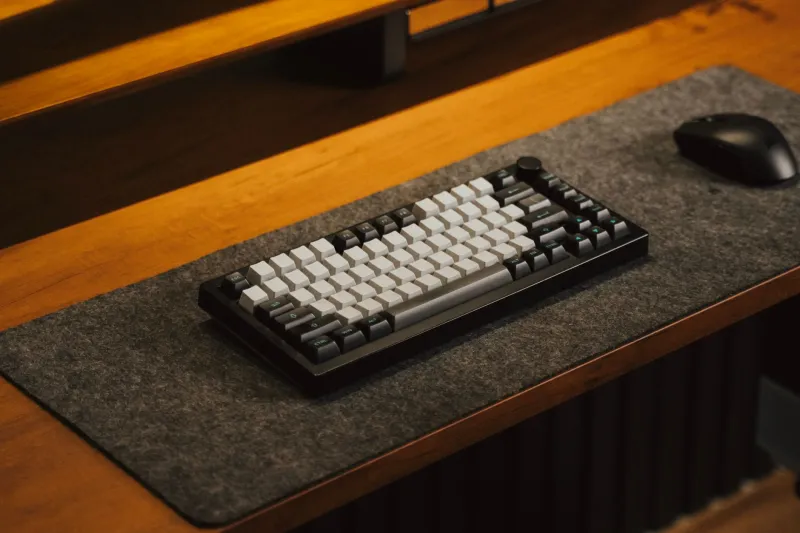
Most of us tune a keyboard from the top down. We chase the right switch weight, add case foam, try a different plate, and then wonder why the board still sounds a little hollow or feels less planted than we hoped. The desk mat is usually the last thing we think about. In practice, it is one of the first things that touches the whole experience.
A mat is not a magic sound modifier. It will not turn a rattly board into a boutique build. But it does sit between your keyboard and a hard desk, and that position gives it a surprising amount of influence over acoustics, typing feel, and daily comfort. Think of it as the stage rather than the instrument.
Why the surface changes what you hear
A keyboard case vibrates. The desk reflects and transmits some of that energy. Put a soft, dense mat underneath and you decouple the board from the desktop, soak up some high-frequency noise, and reduce the sharp slap that hard surfaces add. The result is often a slightly warmer, less brittle sound. Put a thin, firm mat down and you keep more of the board's native character, including the bright clack that some builds are designed to deliver.
That is why two people can type on the same keyboard and describe it differently. One is hearing the board on a wooden desk with no mat. The other is hearing it on a thick felt pad over a laminate top. Neither is wrong. They are hearing different rooms.
Material is the main decision
Woven cloth is the default for good reason. It is soft enough to take the edge off sharp sounds, smooth under a mouse, and easy to live with. A tight weave feels faster and reflects a little more sound. A looser, softer weave feels plusher and tends to mute more. Cloth mats with stitched edges hold up better, especially if you move your keyboard around or rest your wrists on the edge.
Felt and wool are the quietest common options. They absorb high frequencies and give a warm, muted character that suits silent switches and office setups. The tradeoff is maintenance. Felt can pill, hold dust, and feel sluggish under a mouse. It is a great choice for a keyboard-only pad or a desk where the mouse has its own surface.
Leather and vegan leather look sharp and clean up quickly, but they are firmer and more reflective. They can make a bright board sound brighter and a hollow board sound more exposed. If you want a stable platform and do not mind a little extra clack, they are worth considering. Cork is another firm option with a naturally warm, dry feel and moderate absorption. It is less common, but it pairs well with warm-toned desks and heavier boards.
Thickness and backing matter more than the label
A 2mm mat is barely there. It protects the desk and adds grip, but it will not do much for sound or cushioning. Three to four millimeters is the sweet spot for most people: enough material to soften the worst reflections, not so much that the keyboard feels like it is sitting on a mattress. Five millimeters and up can be lovely for wrist comfort on a hard desk, but a very plush mat can make a light board feel less stable and a heavy board feel like it is sinking.
The backing is just as important. A good rubber base keeps the mat from sliding and keeps the keyboard from drifting during fast typing. If the backing is weak, you will spend more time straightening your setup than enjoying it. Stitched edges are not just cosmetic. They slow down fraying and help the mat survive repeated cleaning.
Size should follow your desk, not your fantasy desk
A keyboard-only mat is efficient and easy to clean. A full-desk mat creates a unified surface for the keyboard, mouse, notebook, and coffee mug, and it often looks more intentional. The catch is that full-desk mats collect more crumbs, need more frequent cleaning, and can be awkward to wash.
Measure before you buy. A common 36 by 16 inch mat fits a small desk and a compact keyboard nicely. A 48 by 24 inch mat gives you room for a full-size board and a mouse, but it can overwhelm a narrow desk. Leave enough bare desk around the edges for cables, monitors, and whatever else lives there. In the US, desk sizes vary wildly, so treat online photos as inspiration rather than proof that a mat will fit your space.
Climate and cleaning are part of the buying decision
If you live in the humid Southeast, a breathable cloth mat is usually easier to live with than leather or dense foam. Wipe up spills quickly, air the mat out, and avoid letting moisture sit between the mat and the desk. In the dry Southwest, felt and cork can feel more comfortable and less staticky than slick synthetic surfaces. In colder parts of the Midwest, a thicker cloth mat adds a little warmth under the wrists without turning the desk into a pillow.
Cleaning should be simple. Vacuum cloth mats regularly, spot clean with a damp cloth and mild soap, and hand wash only when needed. Air dry flat. Do not put a mat in the dryer unless the manufacturer explicitly says it is safe. Leather and vegan leather need less water and more gentle wiping. Felt benefits from a lint roller and patience.
Match the mat to the build you actually use
If your board is bright and clacky, a thin cloth or firm leather mat will preserve that character. If it is deep and thocky, a thicker cloth or felt mat can round off the edges. If you use silent switches, almost any soft mat will help, but a dense cloth pad is the safest all-rounder. Heavy boards want a firm base so they do not dig in. Light boards want grip so they stay put.
The desk mat is not the sexiest part of the hobby, but it is one of the easiest upgrades to test. Try a cheap cloth mat before committing to an oversized felt showpiece. Your ears, wrists, and desk will tell you more than any spec sheet can.