Split Decision: A Low-Drama Field Guide to Ergonomic Keyboards at Work
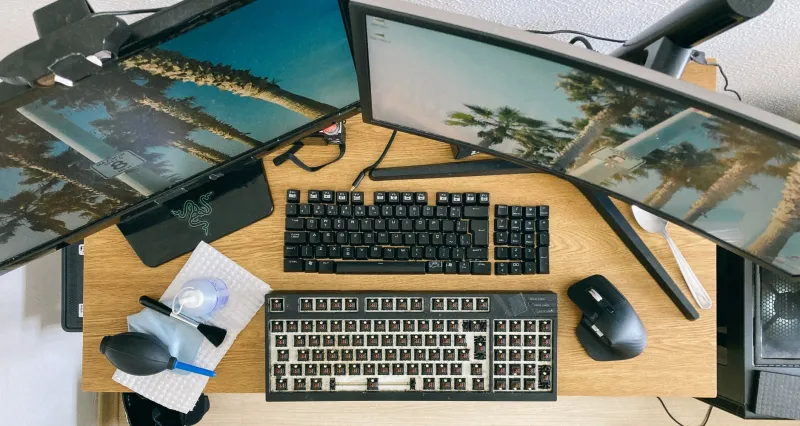
The first time you bring a split keyboard to the office, it looks like a science experiment. Two halves, a cable between them, maybe a tenting kit. People will ask if it is a phone. You do not have to explain your entire personality. You are just trying a tool.
The fears are normal, and mostly manageable
The usual worries are productivity, shortcut muscle memory, noise, IT approval, and coworker comments. Most of those are manageable with a plan. The goal is a personal workflow upgrade, not a conversion campaign. Keep your old keyboard in a drawer during the trial.
Pick a low-risk first board
You do not need a $400 endgame. Start with a split or tented board that has a return window. In the US, many retailers offer 30-day returns; check restocking fees and whether opened boxes are accepted. A wired split 65% or a compact ergo board with thumb keys is a reasonable first step. Budget $100 to $250. If you are unsure about thumb clusters, choose a board with a few thumb keys, not a full column.
Keep your shortcuts boring
The fastest way to hate a new keyboard is to remap everything on day one. Keep Ctrl, Alt, Shift, and Cmd where your hands expect them. Preserve the shortcuts you use every hour. If the board has layers, put the weird stuff on a second layer and leave the first layer familiar. Print a one-page cheat sheet and tape it under your monitor. Boring is a feature.
Run a two-week transition, not a cold-turkey stunt
Week one: use the split for email and browsing, 20 to 30 minutes at a time. Keep your old board connected for deadline work. Week two: add documents and chat. Only move coding or spreadsheet work when your error rate feels normal. A realistic dip is 10 to 20 percent slower for the first week; do not schedule a big presentation during the trial.
Expect a thumb-cluster learning curve
Thumb keys are the point of many ergo boards, and they are also the most foreign. Start with one or two thumb keys: Space and Enter, or Backspace. Add layers later. If you keep reaching for the old bottom row, that is normal. Give it a week before you decide the layout is wrong.
Noise etiquette: be the quiet coworker
A split keyboard does not have to be loud. Choose linear or silent switches if you share a room. Avoid clicky switches in open offices unless you have explicit permission and a very good reason. Add a desk mat to reduce vibration. If someone comments, offer to let them try it for ten seconds; most people are just curious. Do not launch into a lecture about tenting angles.
IT approvals and security
Ask before you plug in anything with firmware or wireless. A simple wired keyboard is usually the easiest approval. If you want Bluetooth or a dongle, check with IT about pairing rules and whether unapproved wireless devices are allowed. Avoid loading custom firmware on a work computer unless IT approves it. Keep the original keyboard nearby in case you need to troubleshoot.
Tenting and tilt without drama
A small tenting angle is enough for many people to notice a difference. You do not need a dramatic split. Use the manufacturer's tenting kit or a simple stand. Keep your desk stable; a wobbly board will make you slower. Wrist rests are a personal preference, not a requirement. This is not medical advice; if you have pain, talk to a qualified professional.
The coworker conversation
You will get questions. A short answer works: 'I am trying a different keyboard for a month to see if it helps my hands.' That is it. You do not need to defend the hobby. If someone calls it weird, agree and move on. The desk oddity label fades when you are still hitting deadlines.
The 30-day check-in
At the end of the trial, ask three questions: Am I faster or more comfortable than week one? Do I miss my old shortcuts? Would I recommend this to a friend? If the answers are no, return the board or shelve it. Trying an ergonomic keyboard is an experiment, not a pledge. The best outcome is a tool that fits your work, not a new identity.